
D&D HOMEBREW EDITOR
Scriptorium
Write homebrew that looks like it came out of the 2024 Player's Handbook, then export it to PDF with the page breaks in the right places. No Markdown dialect to memorise. No CSS to fight.
WHY HOMEBREW LOOKS HOMEMADE
Your idea was good. The Google Doc was doing it no favours.
Everyone who has run a campaign for more than a year has written something worth keeping: a subclass, a regional variant, a dungeon, a pantheon, a set of house rules that finally made grappling worth doing. And almost all of it lives in a document that looks like a memo.
That matters more than it should. When a player reads a rule set in the same typeface as the book, they treat it like the book. When they read it in Calibri 11, they treat it like a suggestion. Presentation is not decoration here; it's the difference between "your homebrew" and "the rules".
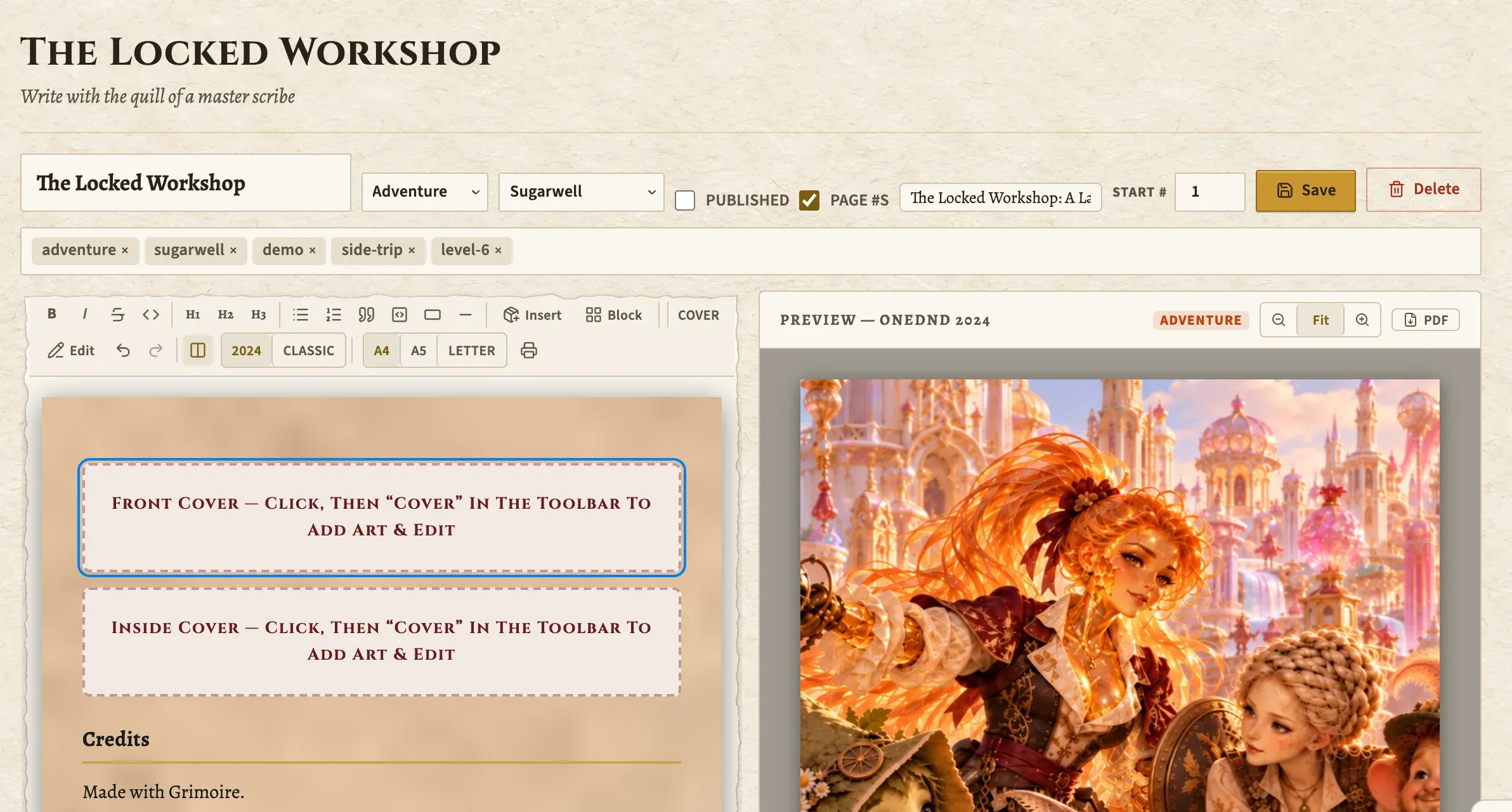
Scriptorium styles documents like the 2024 Player's Handbook and gives you the pieces that make a page look published: proper stat blocks, read-aloud boxes, page furniture, a cover. Your terrible pun finally looks official.
What's in the box
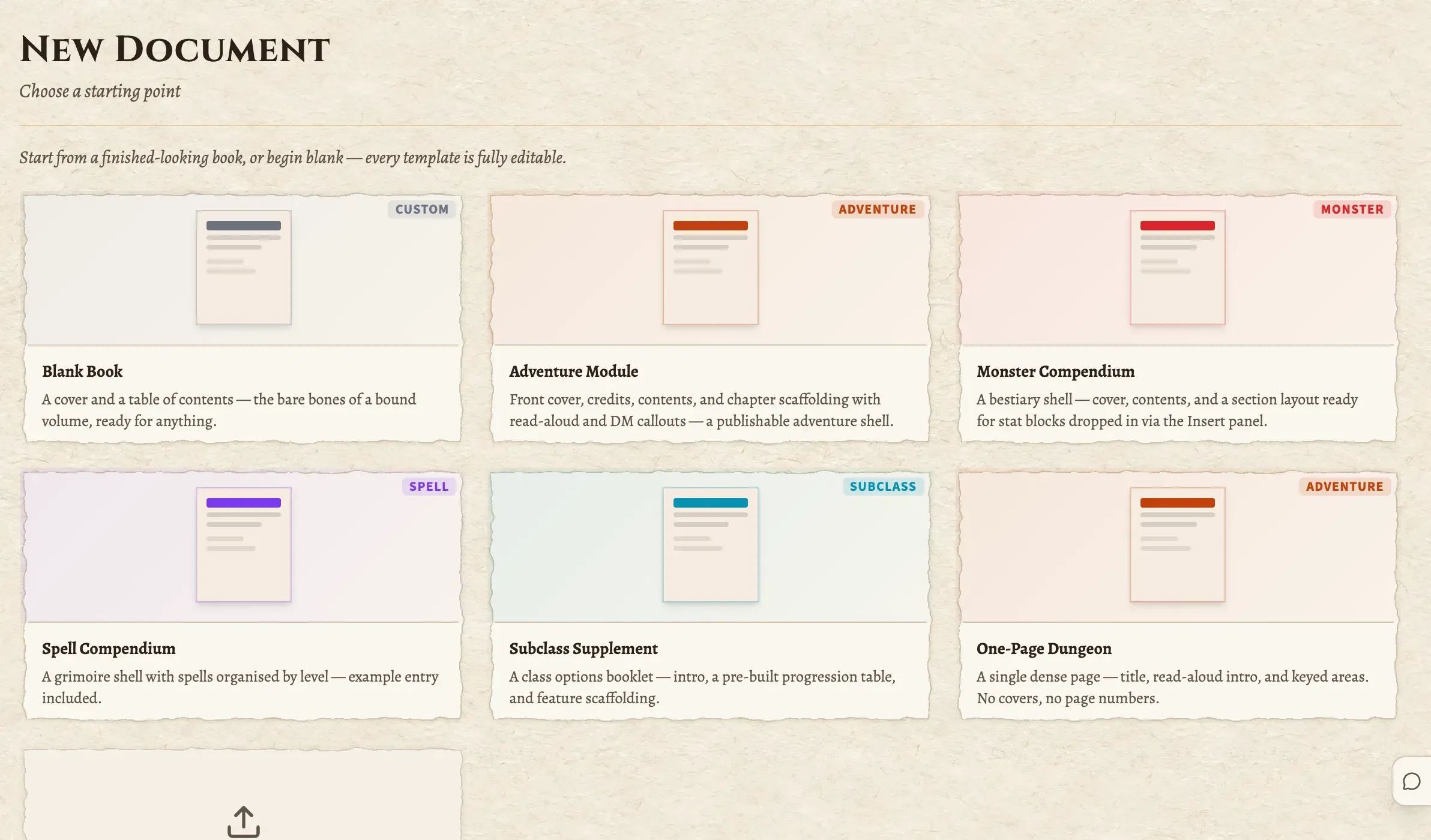
- Templates to start from
- A gallery of document types rather than a blank page with a blinking cursor and no opinions.
- Blocks, not markup
- Stat blocks, callouts, tables, read-aloud boxes and headers from a picker. No dialect to memorise.
- Real pagination
- The preview paginates like print, because it is print. Page breaks land where they'll actually land.
- Cover pages
- A front cover with its own inspector, so the thing you hand over has a face on it.
- Furniture
- Borders, flourishes and frames placed on the page: the decorative layer that makes a page look published.
- Your own content, inserted
- Pull in a monster, an NPC or an item you already wrote instead of transcribing its stat block by hand.
WHY A BLOCK EDITOR
Pick the block. The styling is already right.
There are good tools in this space, and the community has been well served by people giving their work away for free. What they mostly have in common is a markup layer (some flavour of Markdown, some CSS underneath), which is a fair trade if you enjoy that, and a real cost if you don't.
Scriptorium takes the other route. You pick a block from a menu, the styling is already correct, and the monster you built in the Bestiary can be inserted into the page as itself. If you later change that monster, you're editing one thing, not two.
It's a genuinely opinionated tool, which is the point. You did not sit down tonight wanting to debug a stylesheet.
IT PAGINATES PROPERLY
The preview is the page, not an impression of the page.
Most browser-based document tools show you a scrolling column and find out where the page breaks go at print time, which is how you end up with a stat block sliced in half across a spread, discovered forty seconds before the session.
Scriptorium's preview pane paginates the real thing. You can see page two ending badly and fix it while you're writing, at the speed of thought, instead of at the speed of print-preview-undo.
Questions a DM would actually ask
Do I need to learn a markup language?
No. Scriptorium is a block editor: you pick a stat block, a callout or a read-aloud box from a menu and fill it in. There's no syntax to memorise and no stylesheet to fight, and it can pull in monsters, NPCs and items straight from your campaign rather than making you retype them.
Does it look like the 2024 PHB or the 2014 one?
The 2024 styling: the current typography, the current stat block treatment, the current colour of the page. If your homebrew is going to sit next to a book on the table, it should look like the book that's actually on the table.
Can I export a PDF?
Yes. The preview is paginated print output, so what you see is what prints, and printing to PDF from the browser gives you a file with the page breaks where the preview put them, not where a converter guessed.
What can I write in it?
Whatever you'd write in a supplement: adventures, setting gazetteers, a bestiary of your own monsters, house rules, a session handout, a one-page dungeon, the players' guide for your campaign. It's a document editor with D&D's furniture, not a form with D&D's fields.
Can my players read it?
Print or export it and hand it over, same as any document. Scriptorium's job ends at making something worth handing over. For things the party should be able to browse continuously, the Player Portal is the better home.
Is it usable on a phone?
Honestly, no, and we don't pretend otherwise. It's hidden from the mobile nav on purpose. It lays out letter and A4 pages; a phone-sized viewport can't show you a page. It's a desktop tool, deliberately.
How many documents do I get on the free tier?
Five, plenty to write something real and decide whether you like it. Pro removes the cap.
You already wrote the good bit. Give it a cover.
Five documents on the free tier. Take the subclass that's been in a Google Doc since 2022 and put it in a book.
Open your grimoire for freeNo card. No beta waitlist. Always free for your players.
In the same grimoire
Soundboard
A full ambience-and-effects board with Spotify integration, ready inside the campaign you already run.
Player Portal
Character sheets, inventory, spells, notes and the whole cast. Free for every player, on every plan, forever.
Cartographer
Paint battle maps and dungeon layouts, then run an encounter straight on top of them.